Is 16GB of RAM Still Enough for Gaming in 2026? Check Your Stick Count First
Before you spend anything on the 16GB versus 32GB question, count your sticks. Running one module instead of two halves your memory bandwidth and costs around 40% of your 1% lows — more than the upgrade would give you, and usually free to fix. What actually matters for gaming RAM, in order.
By Shujaat Ahmed · · 8 min read
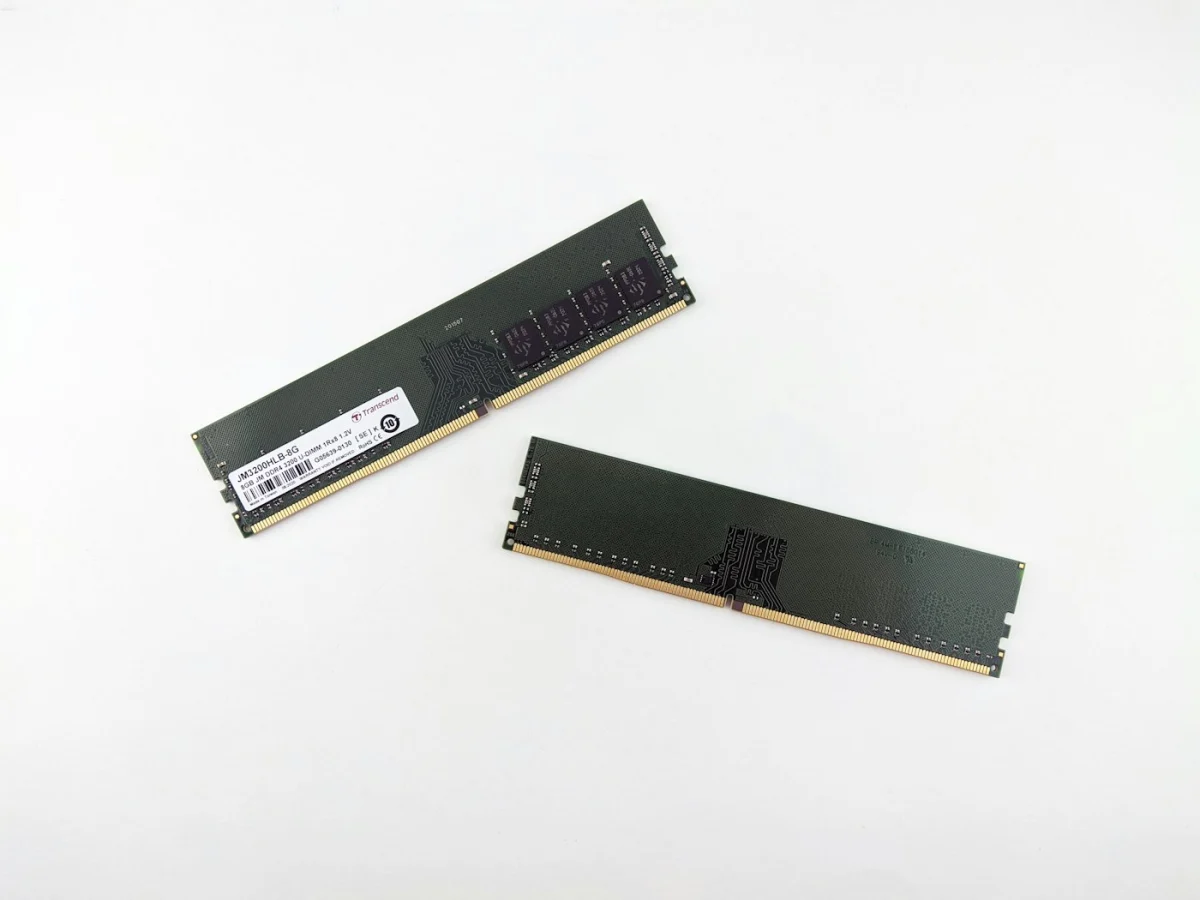
Before you spend anything on the 16GB versus 32GB question, open Task Manager and count your sticks.
If you have a single 16GB module rather than two 8GB ones, you are running in single-channel mode — and that costs you more performance than upgrading to 32GB would give you. Measurements put the hit at around 40% of your 1% lows. Not your average frame rate, which barely moves. The frame consistency, which is the part you actually feel.
Fixing it costs nothing if you already own two sticks. It's the most commonly missed free performance in a gaming PC, and it sits underneath every other RAM question.
Why two sticks beat one of the same size
A memory controller can talk across two channels at once. Populate both and you roughly double the bandwidth available to the CPU. Populate one and you've halved it, regardless of how much capacity that single stick holds.
This is why a 2×8GB kit comfortably outperforms a single 16GB module despite being the same capacity and often the same price. It's also why "I'll buy one 16GB stick now and add another later" is a worse plan than it sounds — you spend months on half your bandwidth.
To check: Task Manager → Performance → Memory. Look at Slots used. If it says 1 of 4, that's your problem. Windows will also report the speed there, which is worth noting for later.
If you're adding a second stick: the slots are usually not the two nearest the CPU. Most dual-channel boards want slots 2 and 4, counting away from the CPU, and the manual will say so explicitly. Getting this wrong puts both sticks on one channel and wastes the upgrade entirely.
So is 16GB actually enough?
Yes, with caveats that are getting heavier each year.
A modern AAA game will use 10–12GB of system RAM by itself. Add Windows, a browser with a few tabs, Discord, a game launcher or two, and a 16GB machine is running at its ceiling. It will mostly work. It will also be the first thing to break when a game streams assets aggressively.
The direction of travel is clear in recommended specs. Mafia: The Old Country lists 32GB. Doom: The Dark Ages lists 32GB for high settings. S.T.A.L.K.E.R. 2 lists 32GB. These are recommendations rather than requirements, and the games run on 16GB — but when publishers start printing a number, it's because their own testing found the lower figure uncomfortable.
The practical split:
- 16GB is fine if you play at 1080p–1440p, you close other applications before playing, and you're mostly in older or less demanding titles.
- 32GB is the sensible baseline for a mid-range build in 2026, and particularly if you stream, mod, keep a browser open, or play open-world games.
- 64GB is for work, not games. Nothing in gaming needs it.
The failure mode is stutter, not low FPS
This is the part most buying guides get wrong, and it's the same mistake made about graphics memory.
Running short of system RAM does not generally reduce your average frame rate. What happens instead is that Windows starts paging data out to your SSD — storage that is enormously slower than RAM — and you get frame-time spikes, hitching and sudden pauses while the average sits there looking respectable.
If that sounds familiar, it should. It's structurally identical to what happens when a graphics card runs out of VRAM, and it's invisible to exactly the same metric. An FPS counter cannot show you a 200ms pause; a frame-time graph shows nothing else. If you haven't set one up, we covered what 1% lows actually measure and how to read the graph.
It's also why memory pressure is worst in games that stream constantly — the open-world titles where traversal stutter is already a problem. Two different causes, one very similar symptom.
Speed matters far less than you've been told
RAM is sold on frequency, and frequency is the least important of the three variables.
The rough hierarchy, biggest effect first:
- Channel configuration. Single to dual is the largest single change available to most people, and it's usually free.
- Capacity. Having enough matters enormously; having surplus does nothing at all. The curve is a cliff, not a slope — 8GB to 16GB is transformative, 32GB to 64GB is nothing.
- Speed and timings. Real but small. The difference between DDR4-3200 and DDR4-3600 is close to noise in most games, and nowhere near worth paying a premium for while running single-channel.
The exception worth knowing: AMD Ryzen systems are more sensitive to memory speed than Intel ones, because of how the chiplets communicate. Even there, capacity and channels come first.
DDR4 or DDR5? Only if you're already changing platform
This question gets asked as though it's a RAM decision. It isn't — it's a motherboard and CPU decision, because the two standards are not interchangeable. DDR5 modules do not fit a DDR4 board, and no adapter exists.
So the practical answer is simple. If you're building new, DDR5 is the default; the platforms worth buying use it, and there's no reason to start on a dead-end standard. If you're on a working DDR4 system, moving to DDR5 means replacing the board, the CPU and the memory together. That is a platform upgrade with a RAM upgrade attached, and it should be judged on whether the CPU is worth replacing — not on the memory.
What DDR5 actually buys you in games is smaller than the specification gap suggests. Bandwidth is much higher on paper, but latency is also higher, and the two partly cancel in gaming workloads. The gains are real and modest, and they are nowhere near the size of the single-to-dual-channel difference you may still be leaving on the table.
How to tell whether RAM is actually your problem
Before buying anything, confirm the diagnosis — the symptoms overlap with several other causes.
- Watch committed memory, not just "in use." Task Manager → Performance → Memory shows Committed as two numbers. If the first regularly approaches the second while you play, Windows is under memory pressure and leaning on the pagefile.
- Put a frame-time graph on screen and play for fifteen minutes, not thirty seconds. Memory pressure builds over a session, so short tests miss it.
- Watch for the pattern. RAM exhaustion looks like pauses and hitching that get worse the longer you play, often with disk activity spiking at the same moment. If the hitching is tied to new areas loading instead, you're looking at streaming. If it comes with blurry textures sharpening a moment later, it's VRAM, not system memory.
- Test it cheaply. Close everything except the game and play the same section again. If the stutter largely disappears, capacity was the constraint and more RAM will genuinely help. If it doesn't change, buying RAM will not fix it.
That last test is worth doing before any purchase. "More RAM" is the most commonly recommended fix for stutter on the internet and one of the least commonly correct ones.
What this costs now, and why that's changed
A year ago the straightforward advice was "just buy 32GB, it's cheap." That's less true than it was.
Memory pricing has been dragged upward by datacentre demand, and the cheap-RAM assumption a lot of buying advice rests on no longer holds — something we went through in why PC memory got expensive and won't get cheap again. If you're building now, that strengthens the case for getting the capacity right the first time rather than planning to top up later at an unknown price.
It also makes the free fix more valuable. Correcting a single-channel configuration costs nothing and recovers more frame consistency than most paid upgrades.
The short version
- Check your slot count first. One stick instead of two costs roughly 40% of your 1% lows and is often free to fix.
- Use the right slots — usually 2 and 4, not the pair nearest the CPU. Check the manual.
- 16GB still works for focused 1080p–1440p gaming; 32GB is the sensible 2026 baseline for anything mid-range or above.
- Running out doesn't lower your average FPS. It causes stutter, and your FPS counter will not show it.
- Buy capacity and channels before speed. DDR4-3200 versus 3600 is not where your money should go.
The honest summary is that most people asking "is 16GB enough" would get more from the free change than the paid one. Count the sticks before you open your wallet.
Tags: PC Gaming PC Building Frame Time & Stutter PC Performance Game Stutter System RAM DDR5 Dual Channel Memory PC Upgrades Memory Prices
Written by Shujaat Ahmed
Shujaat Ahmed is the founder and editor of Door To Gaming. A lifelong gamer, he writes about the games, hardware, and industry news he cannot stop thinking about.